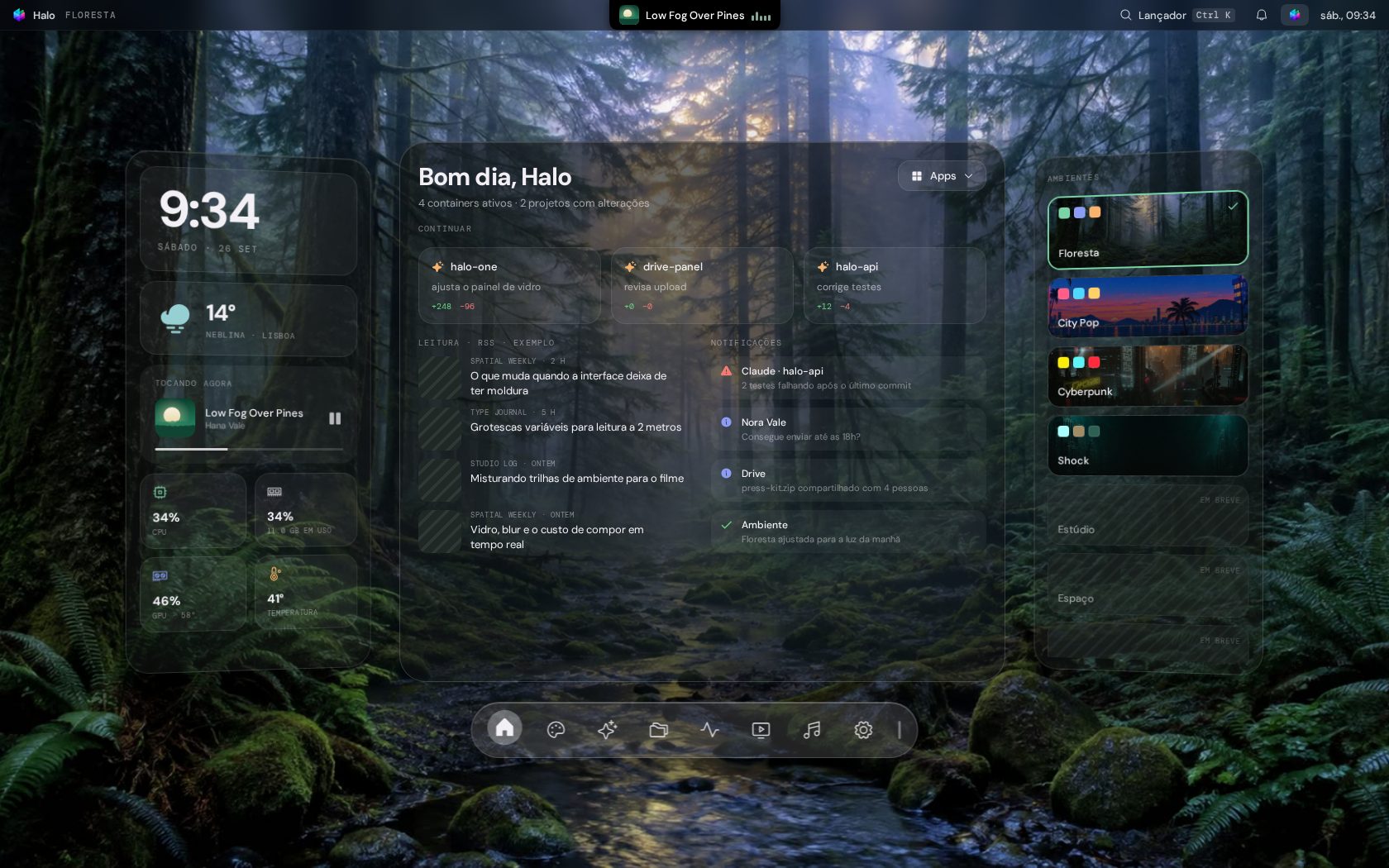
Medidores do sistema, arquivos, filmes, música, containers e agentes do Claude Code numa janela só, com uma ilha dinâmica no topo da tela e um lançador no Meta+V. Para Linux com KDE Plasma 6. System meters, files, movies, music, containers and Claude Code agents in a single window, with a dynamic island at the top of the screen and a launcher on Meta+V. For Linux with KDE Plasma 6.
Melhor no computador. A demo reproduz uma tela de 1680×1050, com mouse e teclado; no celular ela aparece em miniatura.Best on a computer. The demo recreates a 1680×1050 screen with mouse and keyboard; on a phone it shows as a miniature.
15% de 240, 30c em f, :coracao.Ctrl+K opens the launcher: try 15% of 240, 30c in f, :heart.Uma pílula sobre o painel do Plasma que mostra avisos e a música que está tocando, e abre quando você passa o mouse. Ela já vem ligada, e o Meta+Espaço mostra e esconde a janela do Halo. A pill on top of the Plasma panel that shows notices and what's playing, and opens when you hover it. It comes turned on, and Meta+Space shows and hides the Halo window.
? e aprove na pílula.Ask with ? and approve in the pill.Digite o nome de um app, uma conta, uma conversão, um emoji ou uma busca na web. O mesmo lançador abre no Meta+V e no campo da ilha, com as cores do ambiente escolhido. Type an app name, a sum, a conversion, an emoji or a web search. The same launcher opens on Meta+V and in the island's field, in the colors of the chosen environment.
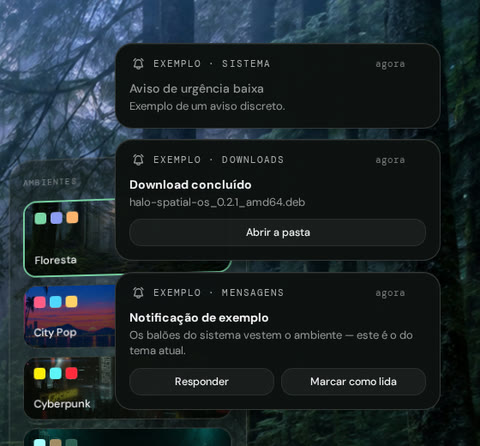
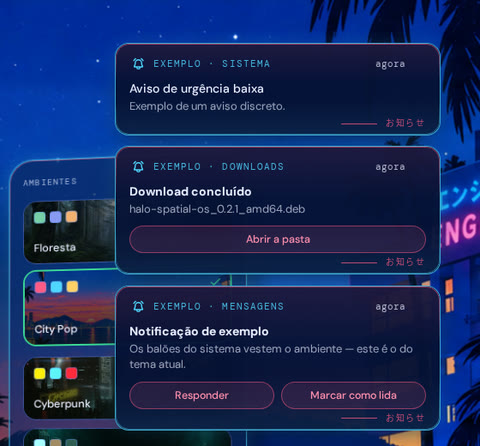
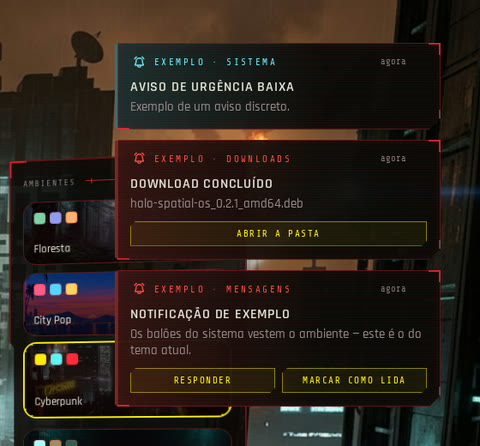
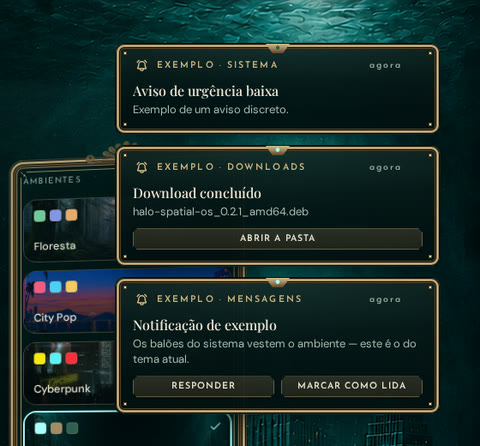
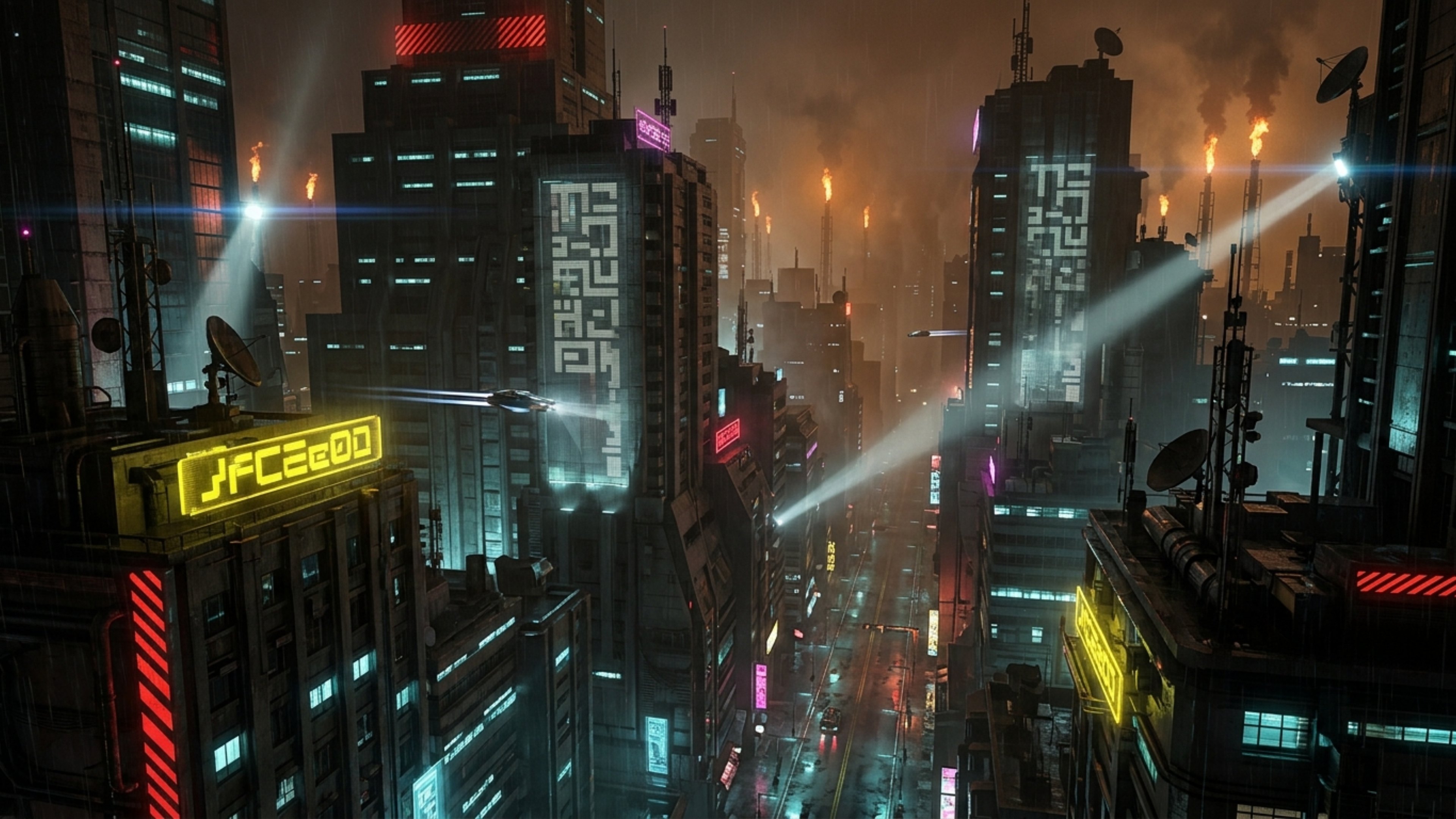
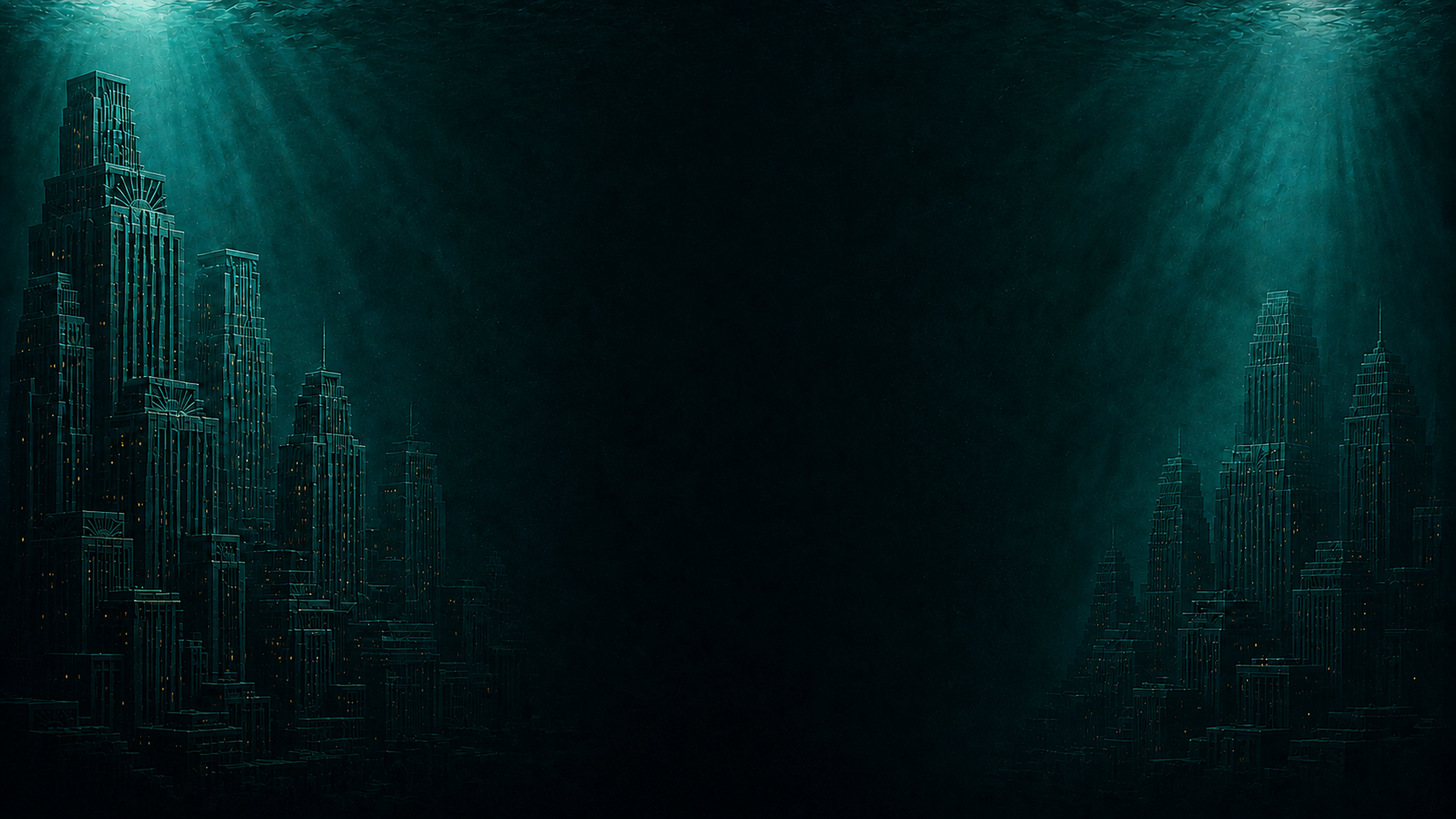
Cada ambiente muda o tema do Halo e o papel de parede do computador, com imagem ou vídeo. Painéis, fontes, dock, lançador e notificações mudam juntos, e o seu papel de parede original fica guardado.Each environment changes Halo's theme and your desktop wallpaper, image or video. Panels, fonts, dock, launcher and notifications change together, and your original wallpaper is kept.
Clique num cartão para ver o tema na demo lá em cima. Os papéis de parede são arte do próprio Halo e podem ser baixados em 4K, para usar onde quiser.Click a card to see the theme in the demo up top. The wallpapers are Halo's own art and can be downloaded in 4K, to use wherever you like.
O Halo pode desenhar as notificações do sistema com as cores, as fontes e a animação do ambiente escolhido. O Plasma continua cuidando delas: clicar numa ação abre o app que enviou, e se o Halo fechar as notificações normais do Plasma voltam na hora. Ative em Configurações → Notificações. Halo can draw system notifications with the colors, fonts and animation of the chosen environment. Plasma still handles them: clicking an action opens the app that sent it, and if Halo closes, Plasma's own notifications come back right away. Turn it on in Settings → Notifications.


Tudo é lido do seu próprio computador, sem conta e sem servidor.Everything is read from your own computer, with no account and no server.
A janela fica junto do papel de parede e fora da barra de tarefas. Abre escondida e aparece pela ilha, pelo ícone na bandeja ou pelo Meta+Espaço.The window sits with the wallpaper, out of the taskbar. It opens hidden and shows up from the island, the tray icon or Meta+Space.
Com o app do Spotify aberto, a música tocando e os controles já funcionam. A conexão com a API só é preciso para ver playlists e controlar outros aparelhos.With the Spotify app open, what's playing and the controls already work. Connecting the API is only needed for playlists and other devices.
CPU, memória, GPU e temperatura, com gráfico do histórico e sem pesar no computador.CPU, memory, GPU and temperature, with a history graph and without slowing your computer down.
Um agente por projeto, com histórico e anexos. O Claude Code é instalado à parte, e se ele faltar a tela avisa e mostra onde configurar.One agent per project, with history and attachments. Claude Code is installed separately, and if it's missing the screen tells you where to set it up.
Genie, Merlin ou Clippit reagem ao que os agentes fazem. São personagens .acs do Microsoft Agent, que você baixa à parte.Genie, Merlin or Clippit react to what the agents do. They are Microsoft Agent .acs characters you download separately.
Sua lista M3U vira um catálogo com favoritos e "continuar assistindo", e o player fica por cima das outras janelas.Your M3U list becomes a catalog with favorites and "continue watching", and the player stays above other windows.
Containers do Docker, serviços com latência medida e a saúde da máquina.Docker containers, services with measured latency and the machine's health.
Feeds RSS que você escolhe — nasce com Tecnoblog, CNN Brasil e BBC World.RSS feeds of your choice — starts with Tecnoblog, CNN Brasil and BBC World.
Feito para Ubuntu com KDE Plasma 6. Em outras distribuições com Plasma ele pode funcionar: fique à vontade para testar, e o próprio app avisa o que estiver faltando.Made for Ubuntu with KDE Plasma 6. It may work on other distributions with Plasma: feel free to try it, and the app itself tells you what's missing.
A versão mais recente está emThe latest version is in Releases.
O apt instala junto o que é essencial e o perfil do AppArmor que o Electron precisa.apt also installs the essentials and the AppArmor profile Electron needs.
sudo apt install ./halo-spatial-os_0.2.2_amd64.debAbra o Halo pelo menu — a ilha aparece no topo da tela. Em Configurações → Sistema ele lista cada programa que falta, o que se perde sem ele e o comando para instalar.Open Halo from the menu — the island shows up at the top of the screen. Settings → System lists every missing program, what you lose without it and the command to install it.
| Testado emTested on | Precisa deRequires | |
|---|---|---|
| DistribuiçãoDistribution | Ubuntu 26.04.1 LTS | Ubuntu (ou derivado Debian) recentea recent Ubuntu (or Debian derivative) |
| Área de trabalhoDesktop | KDE Plasma 6.6.6 · KWin 6.6.6 | KDE Plasma 6 |
| SessãoSession | Wayland, com o app em X11 pelo XwaylandWayland, with the app on X11 through Xwayland | X11, ou Wayland com XwaylandX11, or Wayland with Xwayland |
| VídeoGraphics | NVIDIA, driver proprietárioNVIDIA, proprietary driver | qualquer placa (o medidor de GPU lê NVIDIA)any GPU (the GPU meter reads NVIDIA) |
| MonitoresMonitors | mais de ummore than one | um ou mais — abaixo de 1440 px a janela fica centralizadaone or more — below 1440 px the window is centered |
Não precisa de conta nem de servidor. O Halo lê os dados no próprio computador e não envia nada para fora.No account and no server needed. Halo reads the data on your own computer and sends nothing out.
Só o clima, os feeds de notícias, as letras de música (LRCLIB), a Social Arte, o TMDB e o Spotify usam a internet, e só quando estão configurados.Only the weather, news feeds, song lyrics (LRCLIB), Social Arte, TMDB and Spotify use the internet, and only when they are set up.
Ficam em ~/.config/halo-spatial-os. Os tokens não passam pela linha de comando e a interface não tem acesso a eles.They live in ~/.config/halo-spatial-os. Tokens never go through the command line and the interface can't read them.
O Halo não tem nenhuma função para gravar, apagar, renomear ou executar arquivos.Halo has no way to write, delete, rename or run files.
Sim, e o código é aberto, sob GPL-3.0. Não há conta, assinatura nem versão paga.Yes, and open source under GPL-3.0. No account, subscription or paid version.
Atualmente não. O Halo conversa com o KWin, o Klipper, a bandeja e o painel do Plasma — é feito para KDE Plasma 6. Fora dele o app abre, mas a ilha, o lançador, a bandeja, os balões e a troca de papel de parede não funcionam.Not at the moment. Halo talks to KWin, Klipper, the tray and the Plasma panel — it's made for KDE Plasma 6. Elsewhere the app opens, but the island, launcher, tray, bubbles and wallpaper switch don't work.
É de propósito: da segunda abertura em diante o Halo nasce recolhido. Passe o mouse na ilha, aperte Meta+Espaço ou clique no ícone da bandeja. Para abrir sempre visível, desligue em Configurações → Janela.That's on purpose: from the second launch on, Halo starts collapsed. Hover the island, press Meta+Space or click the tray icon. To always open visible, turn it off in Settings → Window.
Quatro coisas, cada uma com interruptor: o papel de parede ao trocar de ambiente (o seu é guardado antes, e um botão o devolve); o efeito da gaveta do KWin e os atalhos, que vêm com a ilha (ligada por padrão); e o Meta+V, só com o lançador ligado. Desligar desfaz.Four things, each with a switch: the wallpaper when you switch environments (yours is saved first, and a button restores it); the KWin drawer effect and the shortcuts, which come with the island (on by default); and Meta+V, only with the launcher on. Turning them off undoes it.
Não. Cada integração é opcional: sem ela, a tela diz o que falta e onde configurar, e o resto do app funciona igual. O Claude Code CLI é instalado à parte; o Spotify funciona só com o app aberto.No. Every integration is optional: without it, the screen says what's missing and where to set it up, and the rest works the same. The Claude Code CLI is installed separately; Spotify works with just the app open.
Antes, desligue a ilha e o lançador em Configurações (isso apaga os atalhos e o efeito e devolve o Meta+V). Depois, sudo apt remove halo-spatial-os. Suas configurações ficam em ~/.config/halo-spatial-os, se quiser apagar também.First turn off the island and the launcher in Settings (that deletes the shortcuts and the effect and gives Meta+V back). Then sudo apt remove halo-spatial-os. Your settings stay in ~/.config/halo-spatial-os if you want to delete them too.
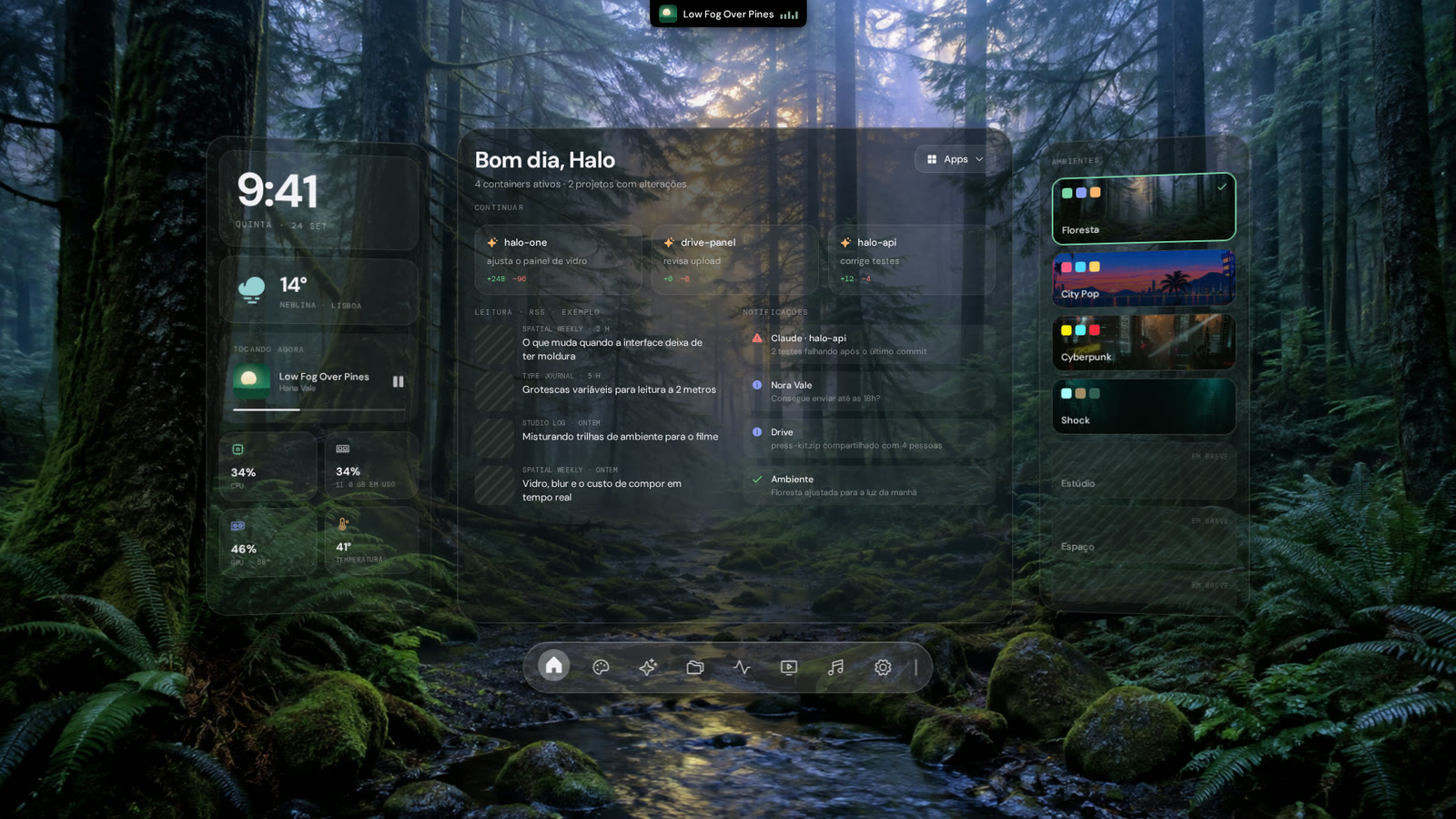
Grátis, aberto, e feito para o Plasma.Free, open, and made for Plasma.